A visual guide for owners, managers & tip committees
Here’s how Tippo
splits your tips.
No more pen and paper. No more complicated spreadsheets. Just download, set up, and watch your tip management transform.
Fair, transparent, effortless.
Fair by role & hoursEvery staff member sees their tip outBuilt with tax compliance in mind
How Tippo works
The whole loop, four steps.
Tippo turns tip outs into a fair, simple and transparent process — automatically. Here’s the cycle you’ll run each day.
01
Staff Log Hours
Staff submit their hours to Tippo. Managers or tip committees review them and make sure they’re correct.
02
You Enter Tips
Punch in the day’s tips — however you collect them. Tippo will total them automatically.
03
Preview the Split
Tippo does the math by your rules: roles, hours worked, applied hold backs, and shows exactly who gets what.
04
Finalize Tip Split
Once the split is finalized, staff see their share on their profile and know what to expect in their tip out.
Step 1 · Get set up
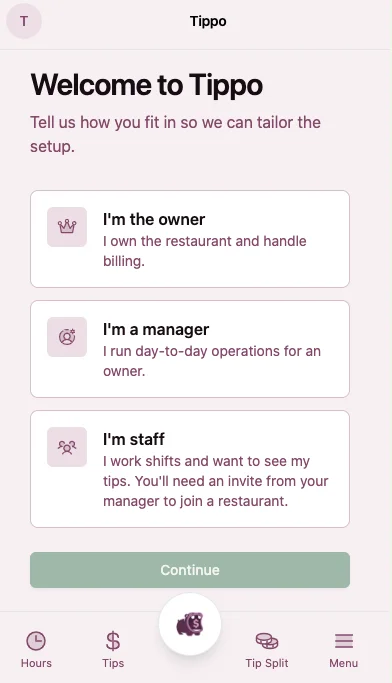
Sign up & claim your restaurant
Creating an account takes a couple of minutes. You’ll set up your owner profile, add your restaurant, and get your team on board.
1
Create your account
Sign up with email as the owner. You’re the admin who controls splits and payouts.
2
Add your restaurant
Name your venue and set your roles: Bartender, Head Chef, Server, and so on.
3
Invite your staff
Invite staff via their email. Staff make a profile and will be able to submit hours and see their tip outs on their Tippo profile.
First 99 restaurants lock in $9.99/month for life.
tippo.ca / sign-up
Step 2 · The dashboard
Review who worked, and for how long
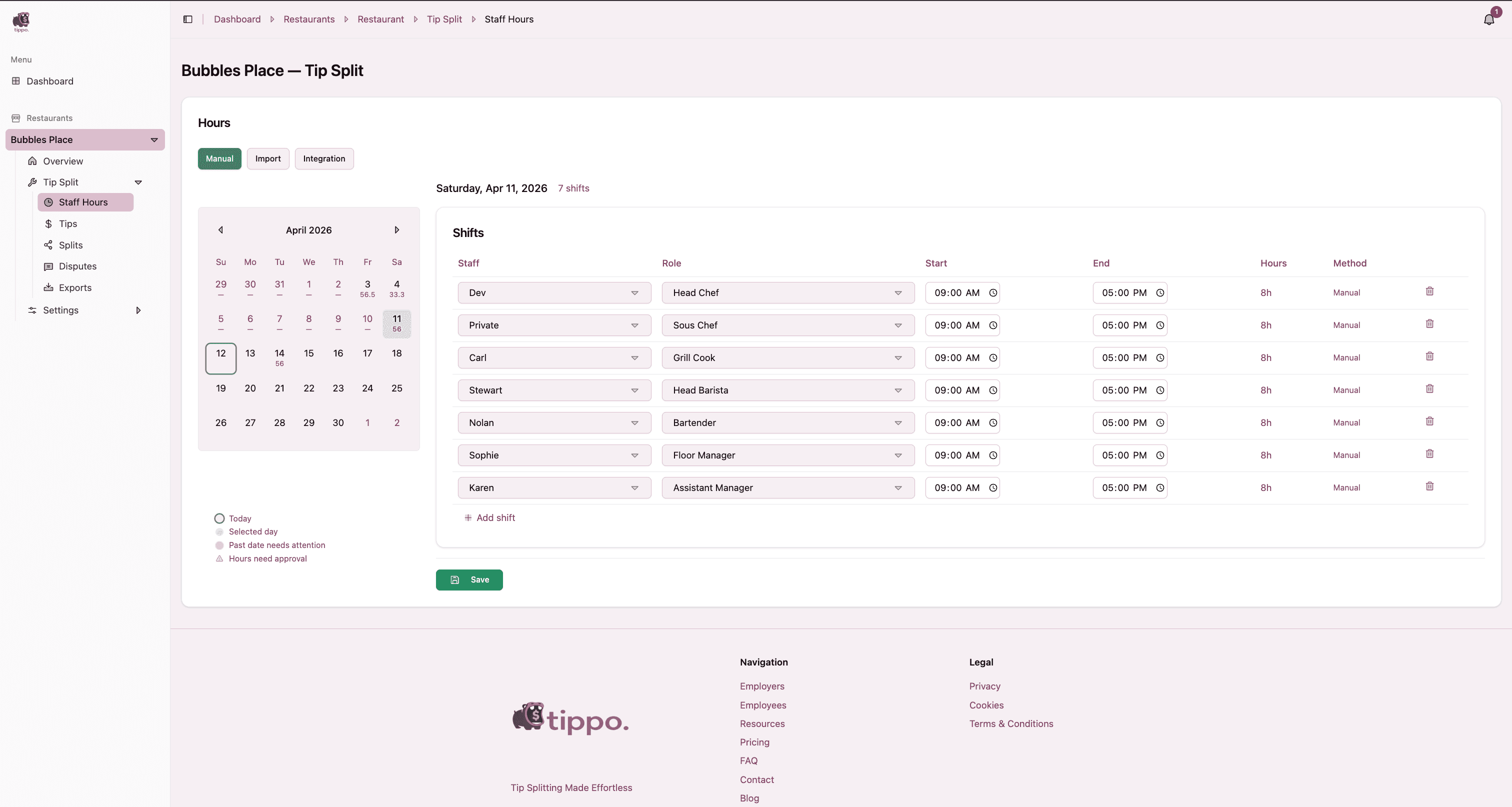
From your restaurant’s Tip Split → Staff Hours, pick a day and review each staff member’s submitted hours. Hours drive a fair split, so this is where every tip split starts.
Bubbles Place — Staff Hours
Pick any day
The calendar flags days that need attention or already have splits.
Staff submit their hours
Staff submit their hours. Tippo totals the hours per role automatically.
Edit hours
Hours can be corrected and shifts can be added — don’t worry, no one will be forgotten!
Step 3 · The math, done for you
How Tippo actually splits the tips
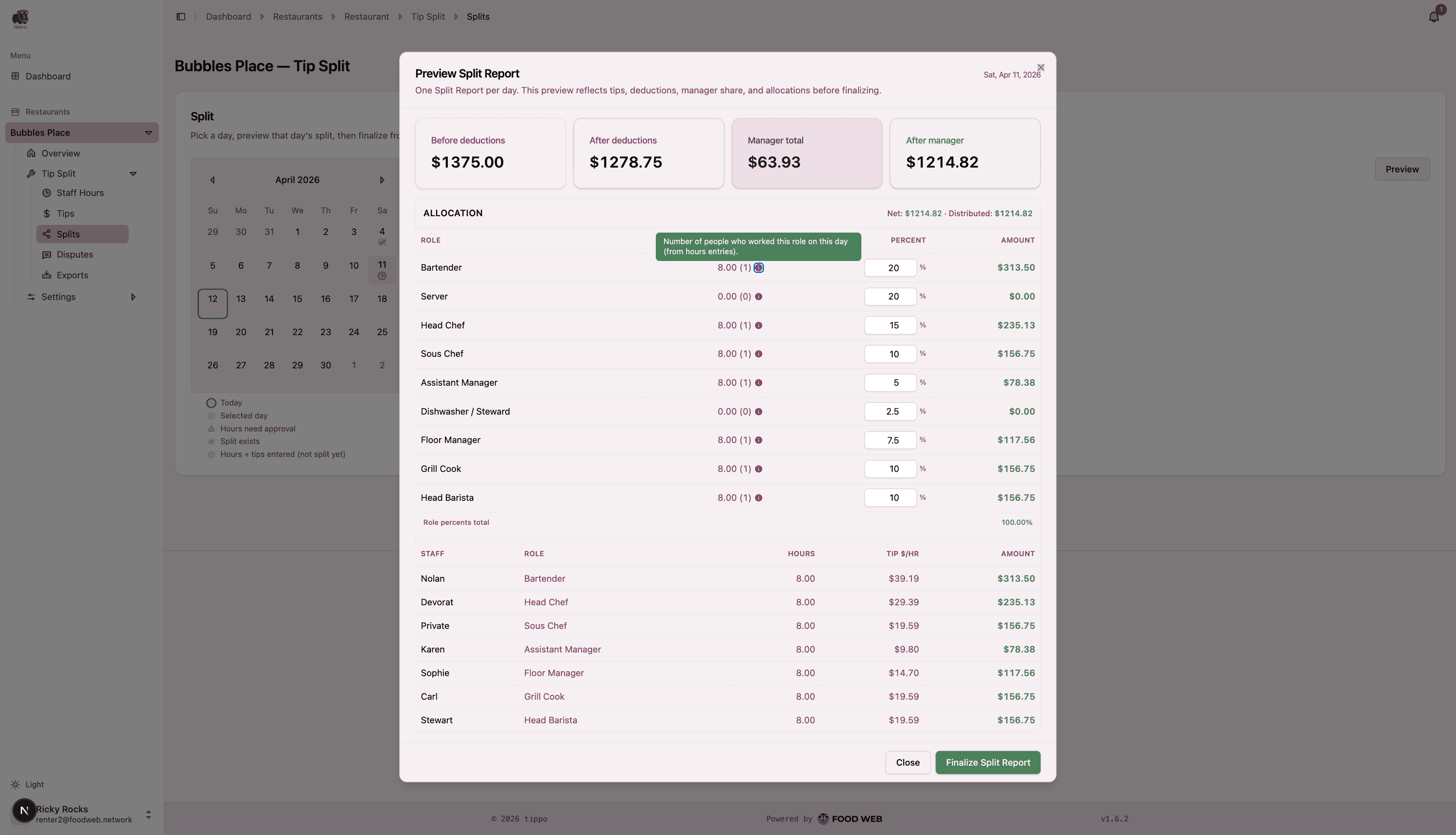
Set a tip percentage for each role once. On any day, hit Preview and Tippo applies your rules, then divides the pool across the roles worked — weighted by their hours.
Preview Split Report
Percent per role
Keep your percentages the same every day or adjust them based on business flow and staffing needs — Tippo makes it easy to keep things fair!
Weighted by hours
Within a role, the pot is shared by hours worked — a real tip $/hr for everyone.
One report per day
Finalize the Split Report and allow your team to see their tip out.
Step 4 · On staff phones
What your staff see
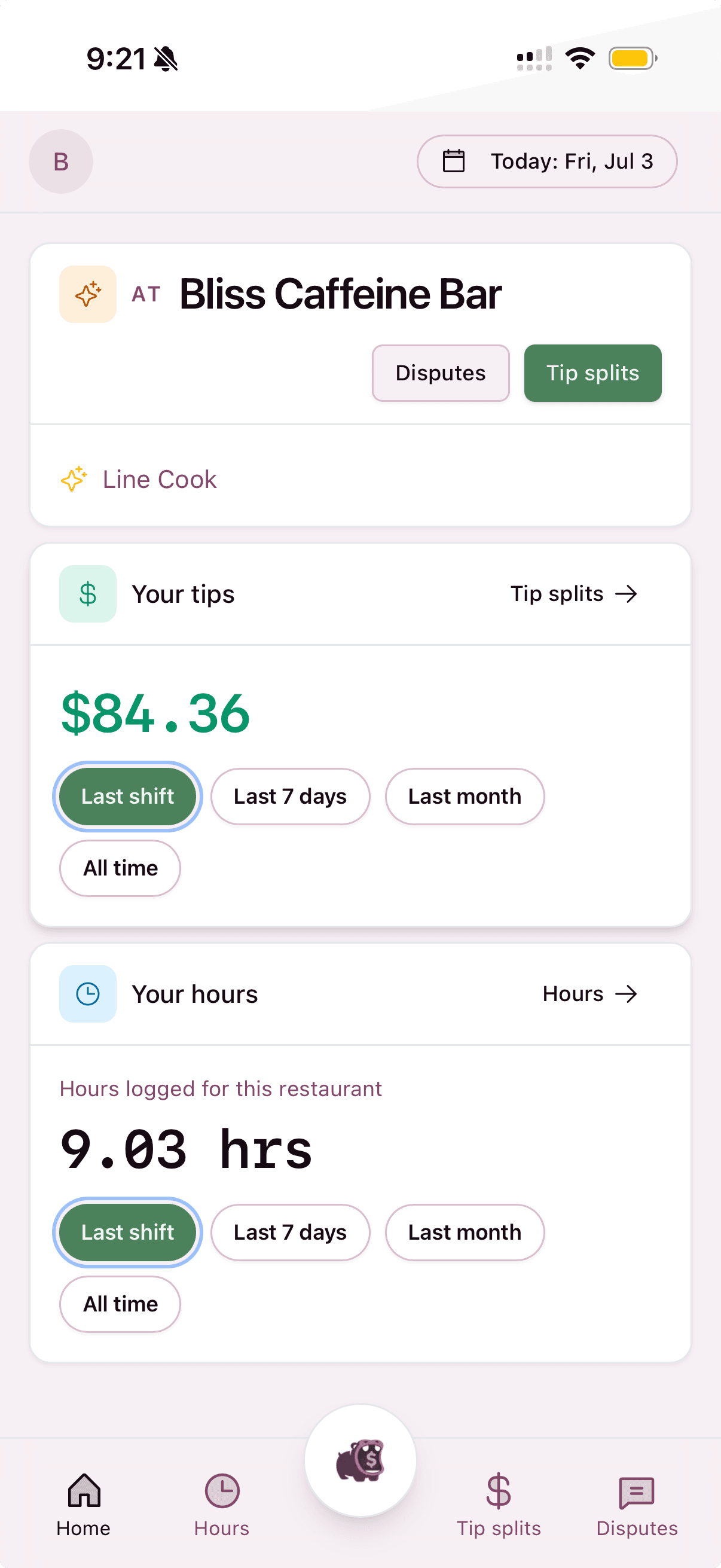
The moment you split the tips, every staff member sees their own share in the Tippo app — the same numbers you see. Accountability and transparency is the whole point!
Their tips, at a glance
Each staff member opens the app to their profile — showing them their tips earned over a period of time or on a specific day.
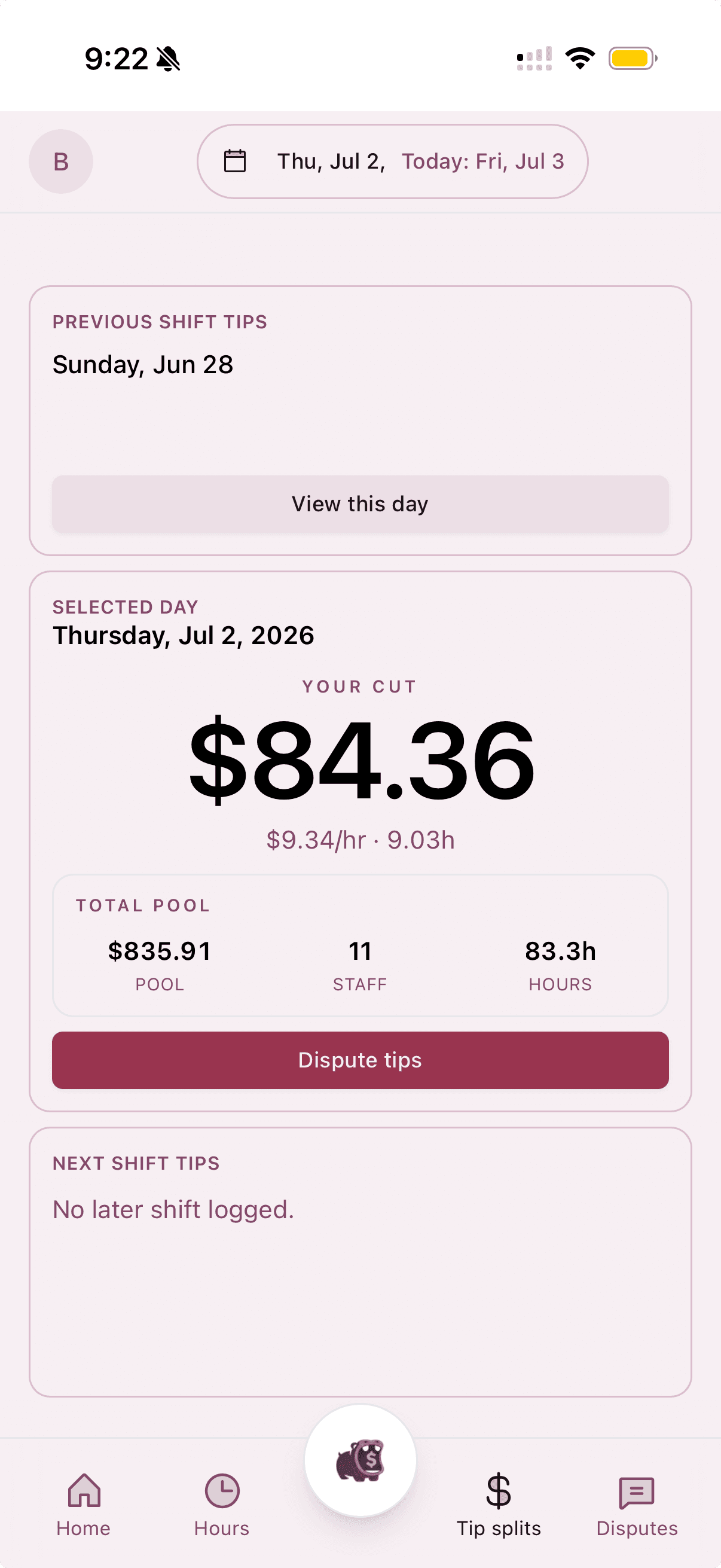
Tip Splits
Staff see each day’s tip out, broken down by hourly rate. Owners can decide if they want to share the total tip pool and numbers behind the split.